Loading...
Searching...
No Matches
User's Guide
The winIDEA SDK offers programmatic access to winIDEA debug, programming, trace and test capabilities. It is available in several programming languages, which allows users to integrate winIDEA actions into Continuous Integration flows, test automation systems and other custom scripts and tools. Programming languages offered are Python, Java, C#, C++, MATLAB and LabVIEW.
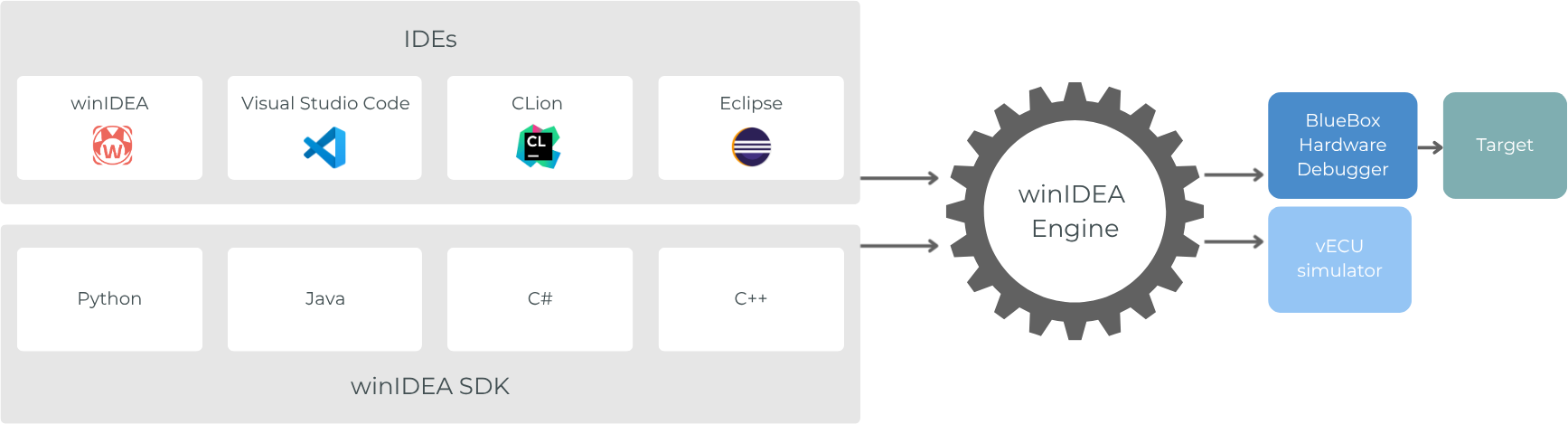
winIDEA SDK architecture
The winIDEA SDK allows you to
- create, load and modify winIDEA workspaces,
- program and verify applications,
- set or modify breakpoints,
- configure application parameters by writing to application memory,
- observe application states by reading the application memory,
- inject errors via write operations,
- read or write SoC memory,
- measure application test coverage with the coverage tool,
- execute individual functions in unit test scenarios,
- measure the application performance with the profiler,
and much more.
Get started
The User's Guide guide describes the core concepts and includes practical examples for getting started quickly.
After beginner topics, we recommend going to the Controllers section, where core building blocks of the winIDEA SDK are presented in more detail.